In our daily lives, QR codes have become inseparable from our routines. From restaurant menus to public information guides and payment services, they are easily found everywhere. However, many people often think, 'QR codes just display information, so they must be safe.' Is that really the case? Today, we will debunk common myths surrounding QR code scanning and delve into what we need to check to protect ourselves in the digital environment.
Is QR code scanning always safe?

One of the most common misconceptions is believing that the information shown by a QR code is always trustworthy. Many people click on links that appear on their screens without any suspicion when scanning a QR code. However, a QR code is simply a data storage method that visualizes text or URLs. In other words, the creator decides what goes inside. If someone with malicious intent creates a QR code that leads to a phishing site and places it in a public area, users who scan it will be directed to a dangerous site without even realizing it.
This is a new security threat called 'Quishing' (QR + Phishing). Quishing is a technique that uses QR codes to steal personal information or induce the installation of malicious apps. Simply being aware that the QR code scanning function we use every day can sometimes be a gateway for crime acts as a major defense. While the act of scanning a QR code itself does not directly cause hacking, the interactions that occur on the page connected after scanning can lead to security issues. The moment a user clicks a link, enters personal information, or approves a download path, the attacker gains the authority to access the device. Therefore, the habit of checking the destination address before scanning is an essential security step.
Digital devices can request much more permission than we think. If a page connected via a QR code is not for simple information provision but forces the download of a specific app or requests excessive access permissions (camera, microphone, contacts, etc.), this is a very dangerous sign. Normal services encourage users to install apps voluntarily and do not execute installation files directly through a link. Also, checking if the URL that appears upon scanning starts with HTTPS is the most basic of basics. A site without a padlock icon means that secure communication is not taking place, so you should never enter any information.
3 Checkpoints to Verify When Scanning QR Codes
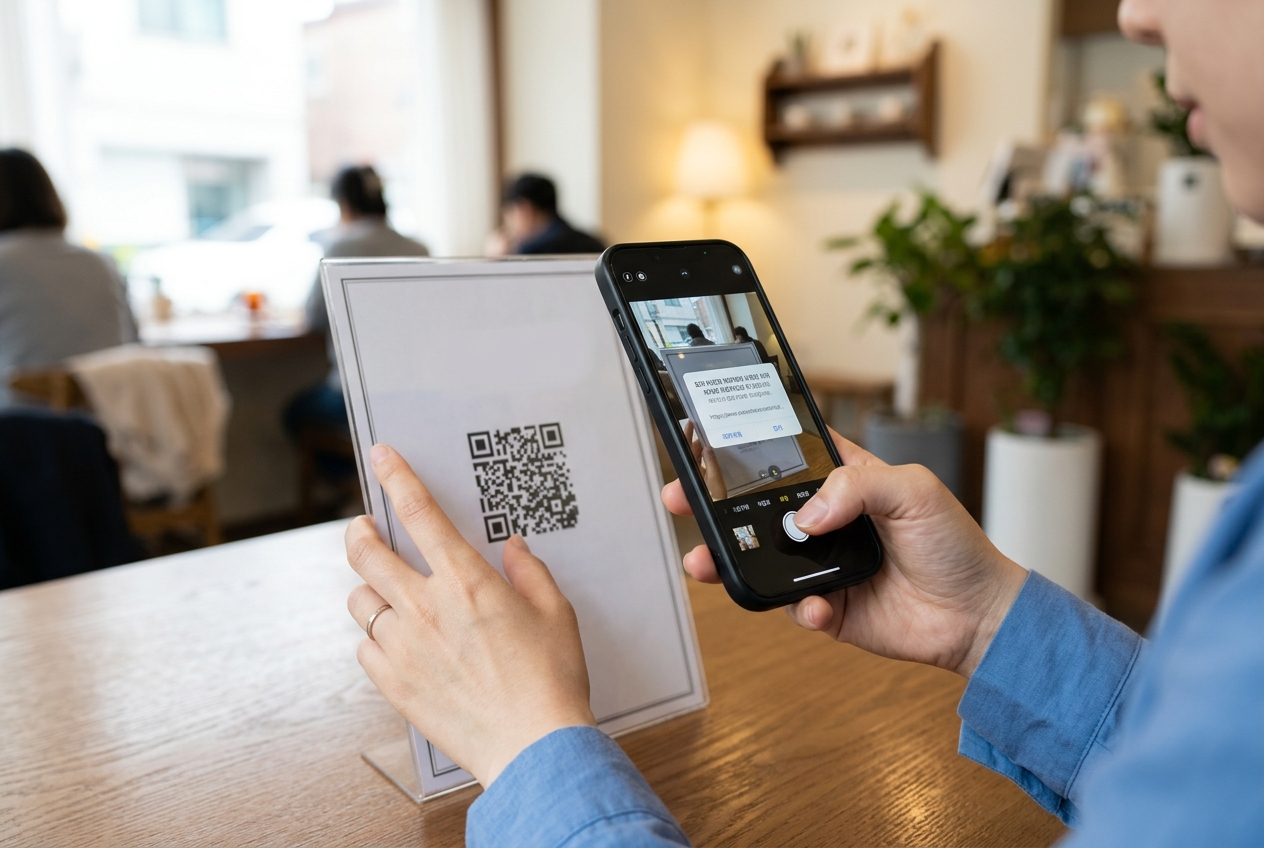
So, how can we use QR codes safely? Before scanning blindly, remember these three things. First, you must check if the location where the QR code is attached is trustworthy. For example, be cautious of stickers placed over official restaurant menus or mysterious QR codes attached to utility poles on the street. Second, carefully examine the URL address that appears after scanning. Shortened URLs (like bit.ly) are often used to hide the original destination. It is important to have the habit of checking if the domain name in the address bar matches where you intended to go. Third, actively utilize the security features of QR code scanning apps or your smartphone's default camera. Modern smartphones have features that show warning messages when you click on a URL containing a malicious link. It is recommended to keep these enabled rather than disabling them.
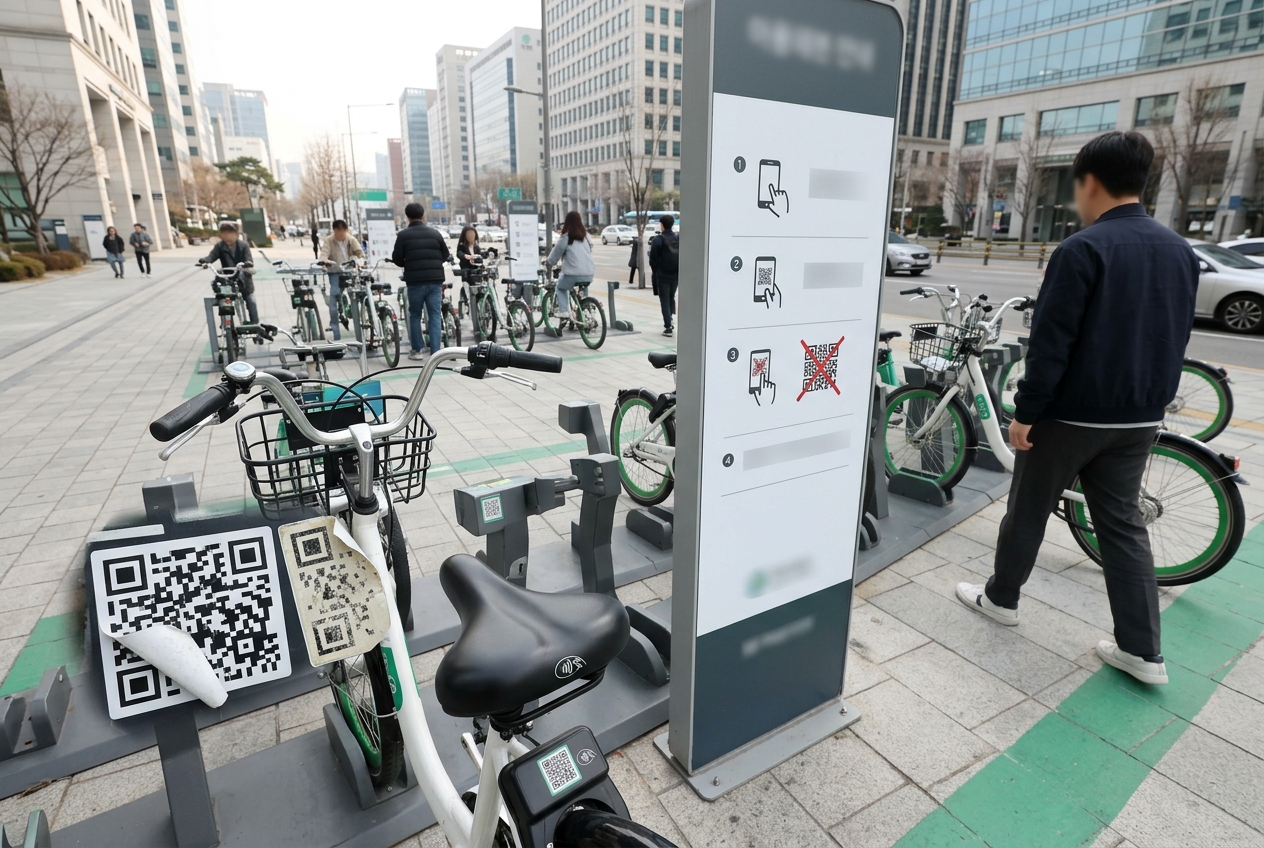
Additionally, it is important to physically check the area around the QR code. Especially for QR codes attached to payment kiosks or unmanned terminals, you must check if they have been tampered with or covered by other stickers. If the sticker is peeling or the printing quality is poor, it is highly likely that it is not a legitimate service. Remember that digital security is not limited to the online realm and starts with observing the physical environment. Before scanning a QR code, users should take just 3 seconds to ask, 'Is it correct for this code to be here?'
Also, if the page layout is awkward, contains many typos, or requests a login method different from usual when the browser opens after scanning, you should leave the page immediately. Phishing sites are crafted elaborately, but they often reveal unnaturalness in detailed UI or text. Detecting these subtle differences is the decisive factor in preventing security incidents.
What is the most certain way to prevent quishing damage?
To answer the question, the most certain way is 'not to scan QR codes from unverified sources.' However, in reality, you cannot avoid all QR codes. In that case, you must be extremely cautious about entering personal information on the page that appears after scanning. A normal service will not immediately ask for payment information or prompt you to enter personal information via a QR code. If you are guided to download an app installation file as soon as you scan, close the window immediately. This is a typical technique to plant malicious code inside your device.
Also, refrain from using QR codes in public places if they are damaged or show signs of having been tampered with. In particular, for payment QR codes, cases have been reported where other codes are placed over the original to intercept payment amounts. Before paying, it is safer to inquire with the store or use the secure scanning method supported within your payment app. If you are connected to a suspicious page, do not panic; close the browser immediately and delete your browsing history. If you have already installed an app, delete it immediately and perform a security scan on your device. If necessary, take proactive measures such as changing your account password and contacting your financial institution to check for any abnormal transactions.
Especially when using QR codes in public places, consider the eyes of people around you. Sometimes, personal information can be exposed during the QR code scanning process, or others might peek at your payment screen. Keep in mind that security in public places includes not only systemic aspects but also physical security. If you need to sign up or log in via a QR code, it is advisable to do so in a less crowded area or to end the session immediately after entering your personal information.
How should smartphone security settings be managed?
Smartphone security settings are the first gateway to managing external connections like QR code scanning. Both Android and iOS have an option to 'Allow installation of apps from unknown sources.' This option must always be kept 'Off.' Even if you connect to a malicious site via a QR code, you can minimize damage if you do not personally download and execute app installation files (such as .apk).
Also, always keep your operating system and security patches updated to the latest versions. Manufacturers release updates whenever security vulnerabilities are discovered. It is better to set up automatic updates rather than delaying them because it's bothersome. Installing a security app (antivirus) and performing periodic scans is also a good preventive measure. Many users overlook security settings, but this is the basis of using digital devices. Especially when using public Wi-Fi, using a VPN is a good way to prevent data theft. Checking if the site connected via the QR code uses the encrypted HTTPS protocol is also key to security. The padlock icon next to the address bar is an important indicator that tells you whether the site has basic security certification.
Additionally, enabling 'Pop-up Blocker' and 'Ad Blocker' features in your smartphone's browser settings is very helpful. This is because indiscriminate ad pop-ups on pages connected after scanning a QR code can be a security vulnerability. The habit of periodically deleting browser cache and cookies is also a good way to lower the possibility of personal information leakage. You need the mindset of managing your digital device like your own personal safe. Security settings are not something you do once and forget; they are a continuous process of checking and optimizing your device status whenever new threats emerge.
Precautions when using QR codes in real life
When we encounter QR codes in our daily lives, what mindset should we have? We must remember the fact that 'convenience always comes with responsibility.' QR codes are excellent tools for delivering information quickly, but it is up to the user to judge whether that information is accurate. For example, do not connect to a QR code just because it is for public Wi-Fi connection. The moment you connect to a network whose security is not verified, your smartphone's traffic can be exposed.
In conclusion, QR code scanning is just a tool. Rather than the danger of the tool itself, the user's attentiveness is more important. By not clicking on suspicious links, not entering personal information carelessly, and maintaining basic security settings, you can prevent most threats. As digital technology advances, our security awareness must also grow. Enjoy a convenient digital life, but always make it a habit to think twice. Keep in mind that a QR code is not bad in itself; depending on how you use it, it can be a useful tool or a gateway to threats. Protecting our precious personal information ourselves is the most powerful security. Don't forget, security is completed by habits, not just technology. Finally, if you discover any abnormal signs after scanning, it is a wise response to immediately contact your carrier or a security expert to have your device checked.
Frequently Asked Questions
Does just scanning a QR code lead to hacking?
It is difficult to be hacked just by scanning to check a URL. However, damage can occur if you install a malicious app or enter personal information on a phishing site from the page connected after scanning.
How can I avoid Quishing (QR + Phishing)?
Do not scan QR codes from unknown sources. Be especially careful with QR codes attached in public places or those handed to you by strangers. Check if the address of the site connected after scanning is correct, and if it induces app installation, close it immediately.
I am uneasy about using QR codes when paying at restaurants.
Check if there is another sticker attached over the payment QR code. If possible, it is safer to use the official payment app provided by the store or ask the store staff directly about the payment method.
Is it helpful to use a smartphone security app?
Yes, it is helpful. Security apps detect links leading to malicious code or phishing sites in real-time and warn you, reducing the risks that can occur during QR code scanning.